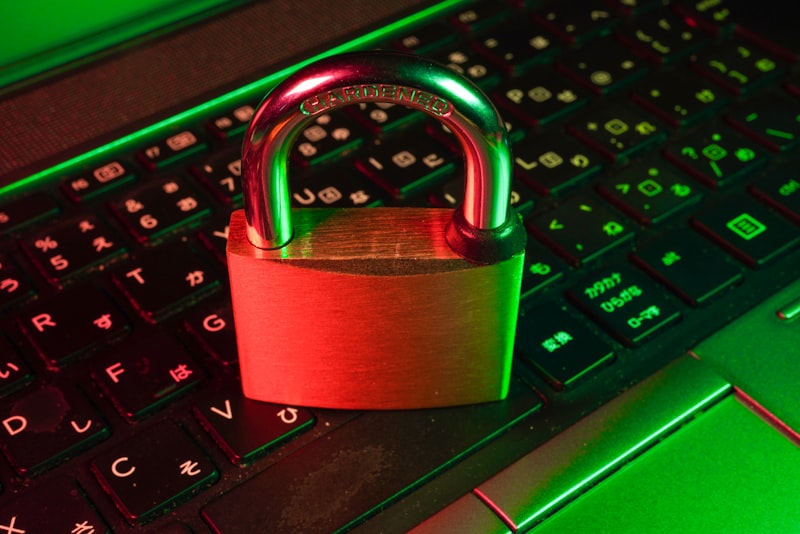
If you remember your passwords, they are probably not very good passwords. That sounds harsh, but it is the uncomfortable truth at the centre of modern account security. A password you can recall across dozens of sites is, almost by definition, short, reused, or based on a predictable pattern — and any of those make it far easier to break than you would like.
A password manager solves this problem so cleanly that, once you understand how it works, using anything else starts to feel reckless. This guide explains what these tools actually do, why they are safe to trust with your most sensitive logins, and how to choose and set one up without getting overwhelmed.
The real problem password managers solve#
The threat most people imagine is a hacker sitting at a keyboard, guessing their password one character at a time. That barely happens. The real danger is far more boring and far more common: data breaches.
Companies get breached constantly. When they do, attackers walk away with lists of email addresses and passwords. They then take those credentials and try them, automatically, on hundreds of other services — your bank, your email, your shopping accounts. This technique is called credential stuffing, and it works for one reason: most people reuse the same handful of passwords everywhere.
So the moment any single site you use is breached, every other account sharing that password is exposed. You could have a twenty-character password, and it would not matter, because the attacker did not guess it — they were handed it.
The only real defence is to use a different password for every account. No human can do that from memory. A password manager can.
How a password manager actually works#
At its core, a password manager is an encrypted vault. You create one strong master password, and that single password unlocks a database where the tool stores a unique, randomly generated password for every account you own.
In day-to-day use, it works like this:
- When you sign up for a site, the manager generates a long random password — something like
9Kp$2vXq!mLz7wRn — and saves it.
- When you return, it fills that password in for you automatically, usually with a browser extension or phone app.
- You never see, type, or need to remember the actual password. You only ever remember the master password that unlocks the vault.
The result is that you get the security of dozens of unguessable, never-reused passwords with the mental effort of remembering exactly one.
"But isn't keeping all my passwords in one place dangerous?"#
This is the most common objection, and it deserves a straight answer. The reason it is safe comes down to two technical ideas worth understanding.
The first is end-to-end encryption. Your vault is scrambled on your own device before it is ever stored or synced. Without your master password, the contents are mathematically useless gibberish.
The second is the zero-knowledge model. Reputable password managers are designed so that the company itself cannot read your vault. Your master password is never sent to their servers. This means that even if the provider is breached — and some have been — attackers get only encrypted blobs they cannot open. A 2022 breach of one major provider proved this in practice: customer vaults were stolen, but those with strong master passwords remained protected because the data was unreadable without them.
So yes, you are concentrating risk in one place. But that one place is engineered specifically to protect it, which is a much better position than scattering weak, reused passwords across the entire internet.
What to look for when choosing one#
The market is full of options, and most of the well-known ones are genuinely good. Rather than naming a single "winner," it is more useful to know what actually matters so you can judge for yourself.
Strong, audited encryption. Look for end-to-end encryption and a zero-knowledge architecture, ideally confirmed by independent third-party security audits the company publishes.
Cross-platform support. Your manager is only useful if it works everywhere you do — across your laptop, phone, and browsers. Check that it covers your specific devices before committing.
Reliable autofill. This is what you will interact with a hundred times a day. A clunky autofill experience is the number-one reason people abandon a password manager. Try it before you rely on it.
Open-source or transparent. Some of the most respected managers are open-source, meaning their code can be inspected by anyone. This is not strictly necessary, but transparency is a healthy sign.
Secure sharing and recovery. If you will share logins with family or a team, look at how sharing works. Also understand the account recovery options — and their trade-offs — before you are locked out.
A quick note on cost: there are excellent free password managers and excellent paid ones. Do not assume free means insecure. The free tier of a well-built manager is vastly safer than reusing passwords, which is the actual alternative for most people.
Setting one up the right way#
The setup is the part people dread, but it is genuinely a one-afternoon job. Here is the sequence I recommend.
- Choose a strong master password — and make it a passphrase. Four or five random words ("copper-trellis-otter-vending") are both stronger and easier to remember than a short, symbol-stuffed password. This is the one password you must never forget and never reuse. Write it down on paper and store it somewhere physically safe until it is memorised.
- Install the apps and browser extension. Get the manager onto every device you use. The browser extension is what makes autofill effortless.
- Import or add your accounts gradually. Most managers can import saved passwords from your browser to give you a head start. Don't feel you must do everything at once.
- Replace weak and reused passwords first. Many managers include a security dashboard that flags reused or breached passwords. Work through that list, starting with your most important accounts: email, banking, and anything tied to your finances or identity.
- Turn on two-factor authentication. Add 2FA to both your password manager itself and your critical accounts. Even if a password leaks, 2FA gives you a second lock on the door.
That last point matters more than any single product choice. A password manager and two-factor authentication together close off the overwhelming majority of the ways ordinary people get hacked.
The highest-leverage hour you can spend#
Most security advice asks you to stay vigilant forever — to spot every phishing email and never slip up. That is exhausting and, frankly, unrealistic. A password manager is different. It is a one-time setup that quietly protects you from then on, without you having to think about it.
If you do only one thing for your digital security this year, make it this. Spend an afternoon, pick a manager that fits your devices, and let it carry the burden your memory was never built to handle.